Roary’s Tip: Check your ILL Request Status

So you’ve placed your ILL request, and you wait eagerly 🤩🤩for your request to arrive.

How do you know where on the journey your request is at?

Step 1

Navigate to “My Requests” to check the status of your request on NYUSH library website. 

OR visit the ILL page.

Step 2

Click on “Request History“, which is on the left side of the page.

Step 3

Then look for the right-most column to check out the request status.

Step 4

You will be notified via email when the item has been received and where it can be picked up.

Roary’s tips: Using the Interlibrary Loan service

The Interlibrary Loan (ILL) service is a powerful tool to help you obtain library materials not available in NYU Shanghai Library. Here are some tips to help you love it even more!

Tip 1 – Plan your research in advance

The ILL service works like magic.✨🔮. But it’s not really done by magic.

Once submitted⬆️, your ILL request needs to travel between us and a lending library.

The speed at which you can get your hands on your requested material depends on its availability.

Try to place your ILL request as early as possible! Don’t wait for the whooshing sound of the deadline as it flies by!

Click this button to place your ILL request!

Tip 2 – Let the library know your need by date

On the ILL request form🗒️, you can find a column that asks you for when you need this material by. Make use of this field!

You can find this column in the request form through this link .

The library will try our best to get your material by the date. (But please keep Tip 1 in mind!)

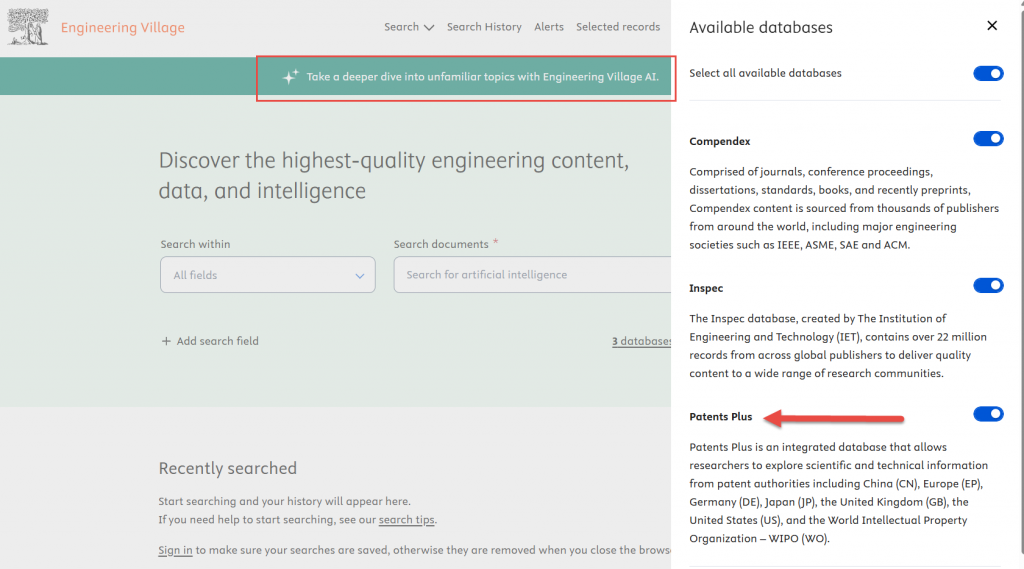
[Database Trial] Engineering Village AI and Patent Plus

Explore two new resources on Engineering Village through April 25, 2025:

Engineering Village AI: Accelerate engineering discovery with AI-powered search.Patents Plus: Access scientific and technical patent data from global authorities, including China, Europe, Germany, Japan, the UK, the US and WIPO.

If you have any feedback regarding the trial, please feel free to email shanghai.librarian@nyu.edu.